What happens if you comment on somebody who mutes you? It turns out that your comments will be on the blockchain but they will be hidden to whom that mutes you.
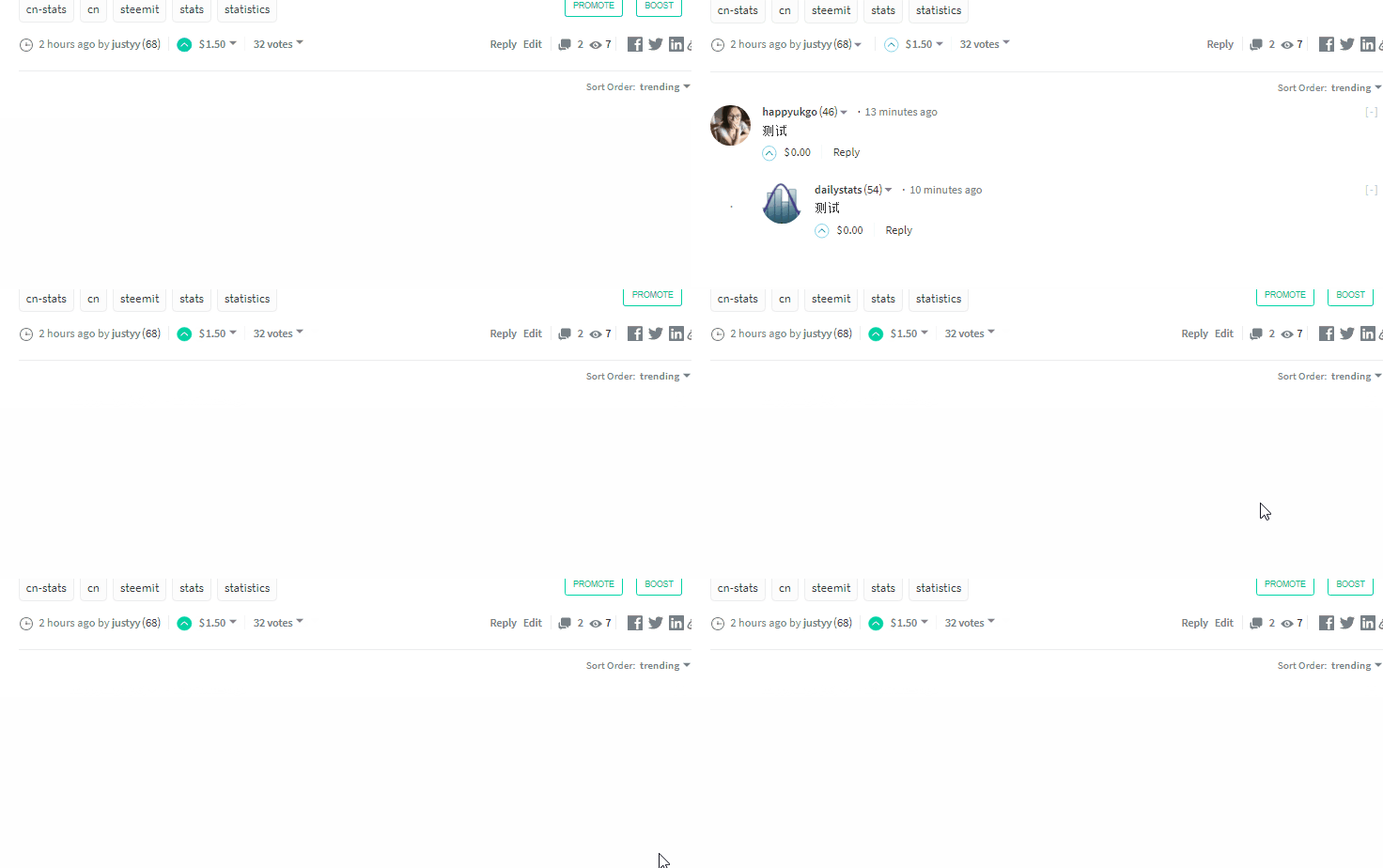
Let’s see, I muted my wife @happyukgo and asked her to leave a comment, when I refresh the post, I can see the comments loaded, but got disappeared milliseconds later. Like this:
The comment count is still two. and it is indeed saved to the blockchain.
And the comment is still visible to those who not mute my wife. So it is just me then.
Also, as you can see in the above gif, if some others comments on the muted comment, they will be killed also.
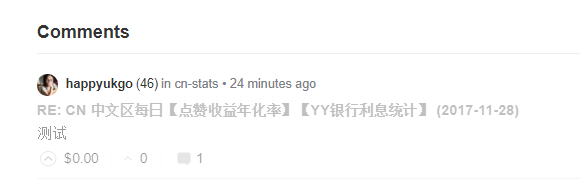
If you manually navigate the muted person’s page, you still can see his/her post and comments, but on the comments page, they are grey-out.
There are paid image compress APIs but this one is totally free because I ‘ve decided to make one and provide it as free.
All images (original and optimised) are kept by default on the server for 30 days. Upload Rate Limit is 1 upload per second.
Why Bother?
Images are slow to load in webpages and we want them to be as small as possible and the load time is as fast as possible
How to use?
You will need to get the APP_KEY and APP_SECRETE using the your email address (replace the [AT] below and your email):
1
curl -X POST -d "email=dr.zhihua.lai [AT] gmail.com" "https://helloacm.com/api/get-access-token/"
Make sure you replace with your own email. The access tokens will be sent to your email box. You can also specify the parameter reset to force resetting the SECRET token.
Check Access Tokens
/api/images-compressor/ check parameters - KEY and SECRET.
Example:
1
curl -X POST -d "key=YOUR-KEY" -d "secret=YOUR-SECRET" "https://helloacm.com/api/images-compressor/check/"
Possible return:
1
2
3
{"result":"OK","errCode":0}
{"result":"Access Denied","errCode":2}
{"result":"Require KEY and SECRET","errCode":1}
Upload Images and Compress Them
Once you have the APP_KEY and APP_SECRET (will be in the email), then you can use the following to upload:
1
curl -X POST -F 'file=@test.jpg' -F 'key=YOUR_KEY' -F 'secret=YOUR-SECRET' 'https://helloacm.com/api/images-compressor/'
You can also give parameter m (range from 0 to 100) indicating the optimization level. On sucess, if you return something like this:
The optimized URL will be given in the field optimize. Possible error codes:
Sucess - in this case upload succesful, check the field of id, key, ts (timestamp), original, optimize, expirydate (default 30 days), quality, original_size, optimize_size.
Invalid quality parameter m given
Require Key and Secret
Access Denied
Invalid Image Type
Invalid Image Size
Upload Rate Limit (1 second per upload)
URL error
Runtime Error
You can specify the URL instead of file as well: curl -X POST -F 'url=URL' -F 'key=YOUR_KEY' -F 'secret=YOUR-SECRET' 'https://helloacm.com/api/images-compressor/'
For Network Administrators, they sometimes need to know the IP addresses both internal and external. Therefore, I have developed a handy widget to the Chrome, so that you can easily get your own IP addresses with just one click.
A screenshot of the chrome extension to show the IP address:
What it does essentially is to invoke the show-ip-address API from 4 different API servers around the globe, although the internal IP address can be obtained via the following Javascript function:
var RTCPeerConnection = window.RTCPeerConnection || window.webkitRTCPeerConnection || window.mozRTCPeerConnection;
var pc = new RTCPeerConnection({ // Don't specify any stun/turn servers, otherwise you will // also find your public IP addresses. iceServers: [] }); // Add a media line, this is needed to activate candidate gathering. pc.createDataChannel(''); // onicecandidate is triggered whenever a candidate has been found. pc.onicecandidate = function(e) { if (!e.candidate) { // Candidate gathering completed. pc.close(); callback(ips); return; } var ip = /^candidate:.+ (\S+) \d+ typ/.exec(e.candidate.candidate)[1]; if (ips.indexOf(ip) == -1) // avoid duplicate entries (tcp/udp) ips.push(ip); }; pc.createOffer(function(sdp) { pc.setLocalDescription(sdp); }, function onerror() {}); }
以上收益包括75%的作者收益(Author Rewards)和25%的点赞收益(Curation Rewards)。 @dailystats 提供过去7天全网潜在收益前30名的排名 check @dailystats for top 30 daily authors in the last 7 days sorted by potential payout